Every chat shows who has it
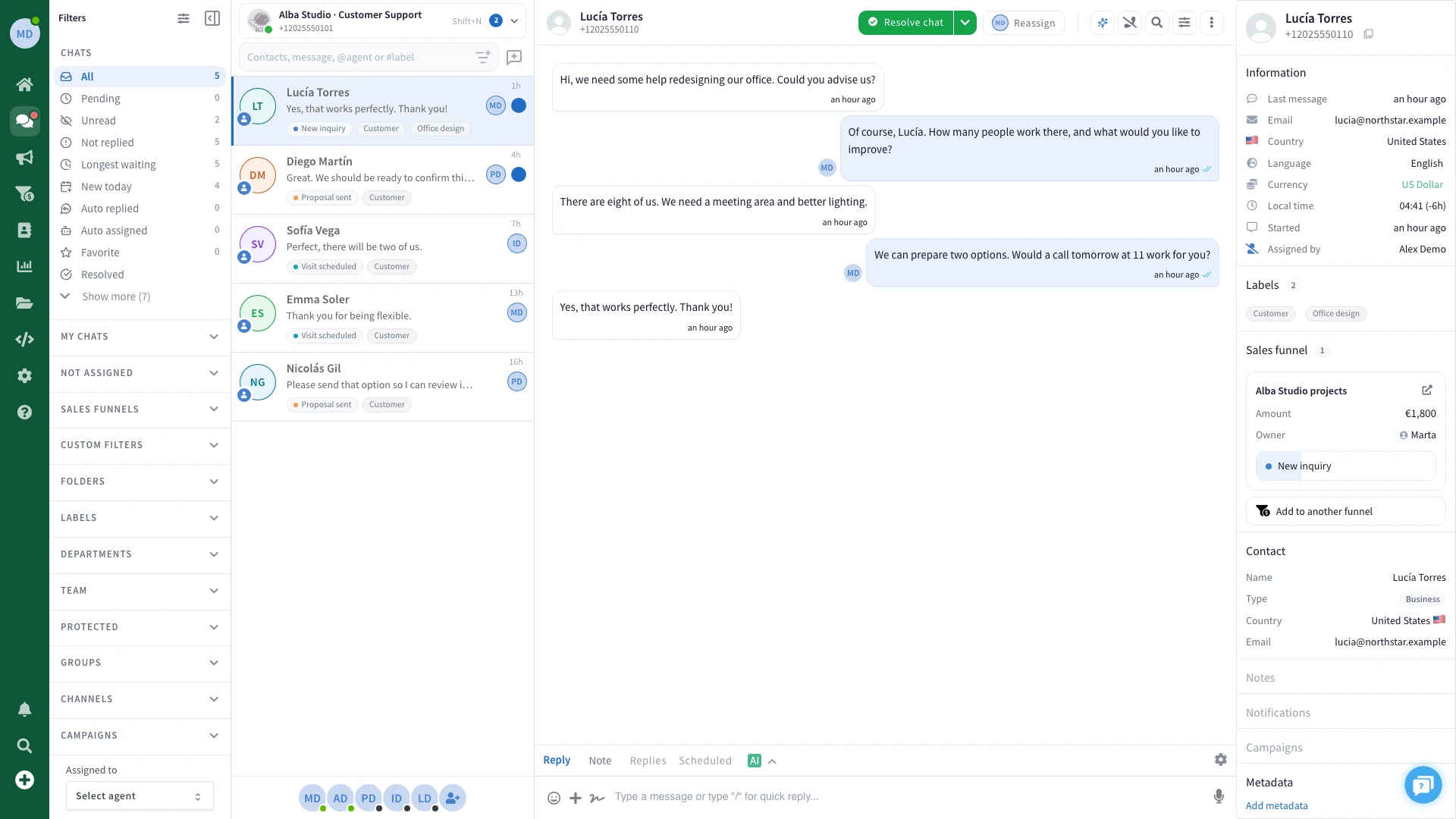
Take a chat, pass it to a colleague or leave it for whoever is free. The name on it tells the whole team who is answering.
When one phone holds every chat, customers wait for whoever has it. Answer one WhatsApp number as a team and see who has each chat.
7 days free · No credit card · Cancel anytime
Valeria has waited 4 minutes, and everyone can see nobody has her chat yet.Sara took it. The team sees the chat is hers and moves on to the next one.Unassigned: the chats nobody has taken yet.Mine: only the chats assigned to Sara.
The same WhatsApp number on every screen, with a name on every chat.
Take a chat, pass it to a colleague or leave it for whoever is free. The name on it tells the whole team who is answering.
Leave a note in the chat for the next person. Notes stay inside WaliChat and are never sent on WhatsApp.
Everyone signs in on their own computer or phone. The business phone can stay in the drawer.
Filter by unread, not replied, longest waiting, by label or by person.
Resolve a chat once the customer has their answer, and the open list stays short.
Everything happens in the browser. There is nothing to install.
Scan a QR code with the WhatsApp or WhatsApp Business app on your phone, or connect the official WhatsApp Business API. Customers keep writing to the same number.
Add each person and give them a role. They sign in with their own account, in their own browser.
Take a new chat, or reassign it to the right person. The name on the chat tells everyone who is answering.
Answer the customer, or switch to Note to write something only your team can read.
Every plan includes the team inbox. They differ in how many people answer, and in what the inbox does for them.
$39.90/month
3 agents included
Includes:
$69.90/month
6 agents included
Everything in Professional, plus:
$99.90/month
9 agents included
Everything in Business, plus:
Professional: 3 agents. Business: 6 agents. Enterprise: 9 agents. On Enterprise you can add more agents for $14 a month each.
No. Connect the number your customers already write to. Link it with a QR code from the WhatsApp or WhatsApp Business app, or connect it through the official WhatsApp Business API.
Each chat shows the person it is assigned to. Take a chat, reassign it to a colleague or leave it unassigned, and the whole team sees the change.
No. Notes stay inside WaliChat and are never sent on WhatsApp. Only your team sees them, in the chat they belong to.
Yes. WaliChat runs in the browser, on a computer or a phone, so each person signs in from their own device with their own account.
Yes, from the Business plan. Auto-assignment hands each new chat to the next person in turn, among the people you choose.
Yes, on Enterprise. Team permissions decide which chats each role can read, reply to, assign or export.
Remove them from your team and they can no longer sign in to your number. The chats belong to your number, so their history and notes stay with you.
Yes. Try WaliChat free for 7 days, with no credit card.
One WhatsApp for your team. Customer context and AI help, together.