Sales Funnels Are Here, and They Live Inside Your WhatsApp Inbox
New in WaliChat: a deal board built on the conversations your team already answers. No second system, no import, and nothing new for your agents to remember to open.
Ask a team where a customer stands and watch how many places they look.
The chat says one thing. The spreadsheet somebody keeps says another, and it was last touched a week ago. The person who actually knows is on holiday. None of that is anyone's fault: the record of the sale was never in the same place as the sale.
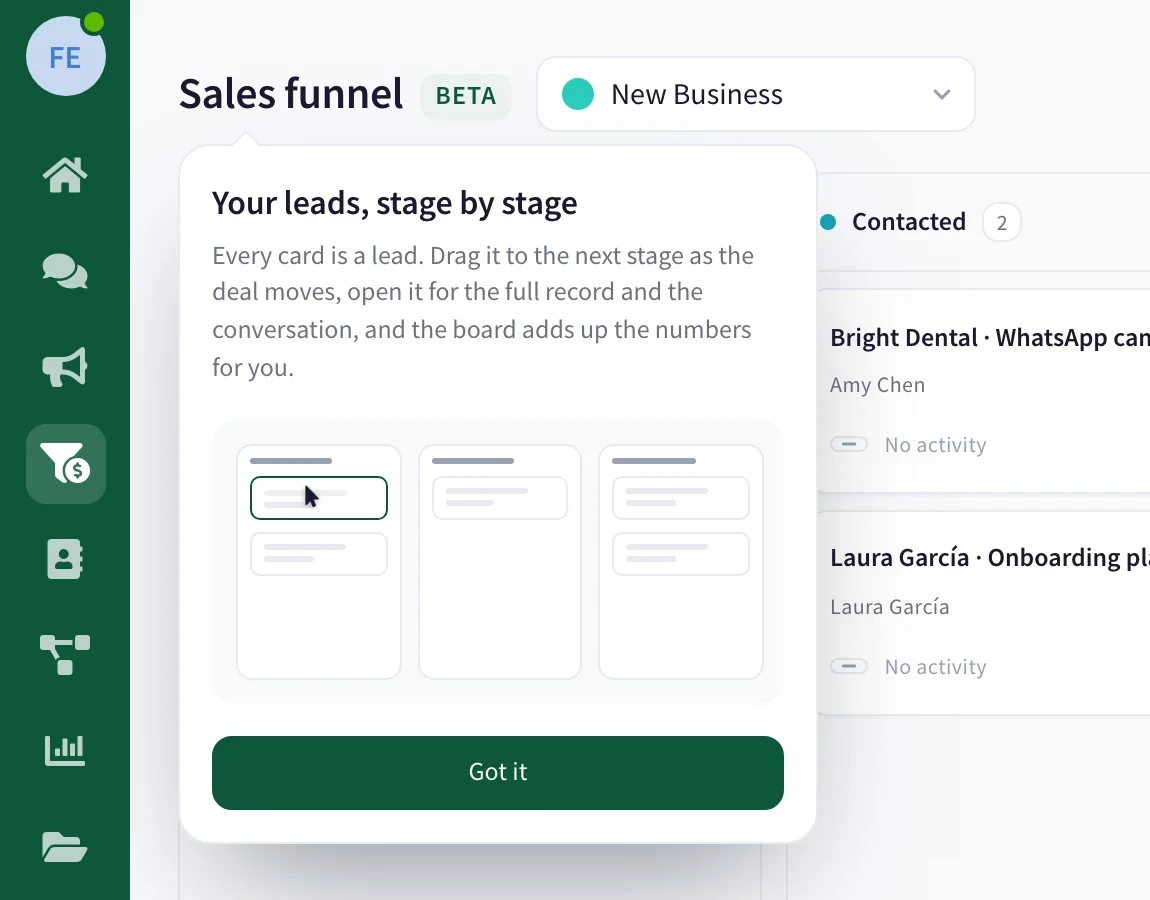
Sales funnels are now part of WaliChat. Your deals sit on a board built straight onto the threads your team is already answering, so the customer, the chat and the sale stop being three separate records. There is nothing to import on the way in and no spreadsheet to keep in step afterwards.
It ships with five stages that work on day one, named New lead, Contacted, Negotiation, Won and Lost, and you rename them to whatever your business actually does.
What follows is what changes, by who it changes it for.
If you answer chats all day: nothing new to open
This is the part we care about most, because a sales tool that needs a second screen gets used for two weeks.
Every one-to-one conversation now carries a Sales funnel block in the contact panel, next to the labels and the contact fields. It shows which funnels this customer is in, what each deal is worth, and the stage each one sits at. Change the stage from there, without leaving the thread you were replying to.
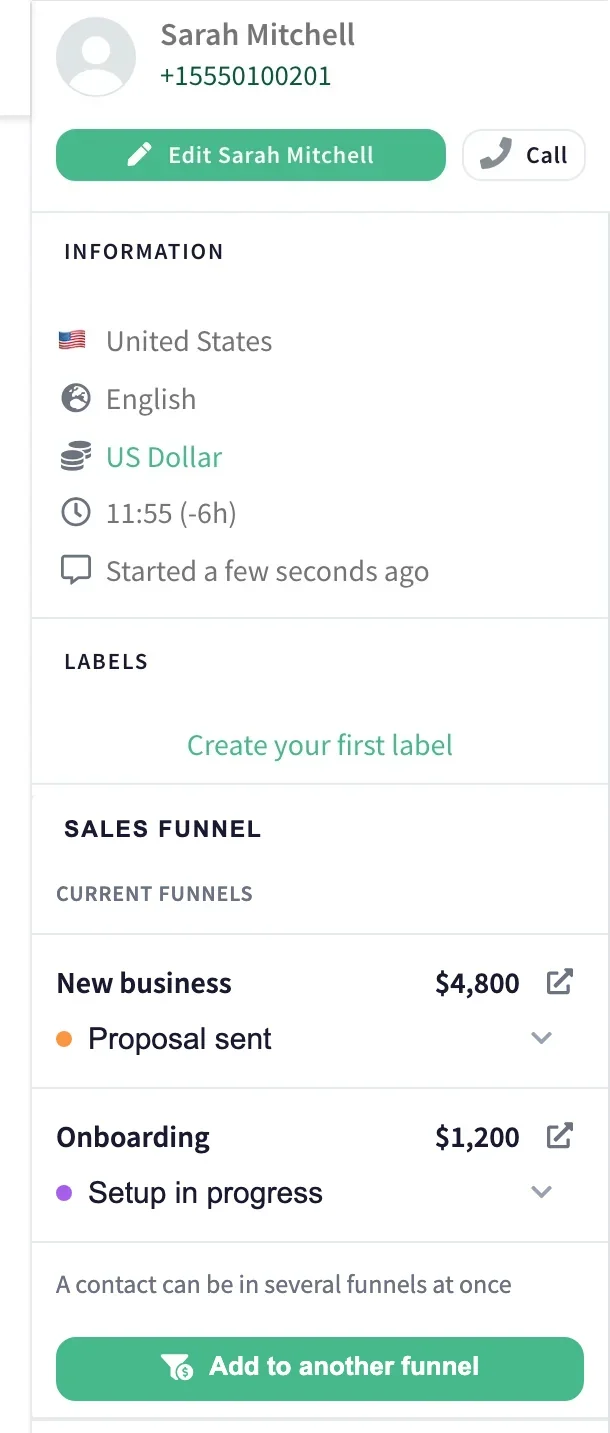
Two things there are worth knowing:
- A customer can be in several funnels at once. New business and a renewal run side by side, each at its own stage, neither hiding the other. The one thing a single board will not do is list the same person twice: one live deal per customer per funnel, and that is it.
- A deal can start from a phone number alone. Create it before that customer has written to you, and it adopts the conversation the moment they do.
Nobody has to remember to update anything after the fact. The place you were already working is the place the deal moved.
If you run the week: the board tells you what stopped
Open the board and every deal your team is chasing is a card in a column. Drag it, the deal moves. Won and Lost zones appear while you are dragging, so closing is something you do on purpose rather than by dropping a card too far right.
The watching is the part that earns its keep. Put a limit in days on a stage, and any card that overstays wears a Stalled mark. A thread with no movement in three days picks up a Cold one. The pair are not the same news, and it is worth keeping them apart: the first is your side going quiet, the second is theirs.
Two switches sit above the columns. Mine leaves only what belongs to you. Stalled leaves only what has gone still. On a Monday, that second switch on its own is usually the whole meeting.
You get more than one board, too. New business and renewals rarely share a set of stages, and forcing them onto one funnel gives you columns half your cards skip.
If you have to pick up someone else's deal: it is all written down
Every card opens onto its own page with its own address, which is what makes a handover possible in the middle of a negotiation rather than only at the start.
That page holds what a chat thread never will: comments only your team sees, tasks with a date attached, and the full trail of what the deal did, with names and times against every move. Created, moved, won, lost, handed over, reopened.
Who sees what follows the rules you already set. A restricted agent only ever sees deals that are theirs, both on the board and through the API, which is on purpose tighter than what the inbox lets them read. Admins and supervisors read the whole board. Creating and managing funnels is its own team permission.
What we deliberately did not build
Three decisions are worth saying out loud, because each one was a fork.
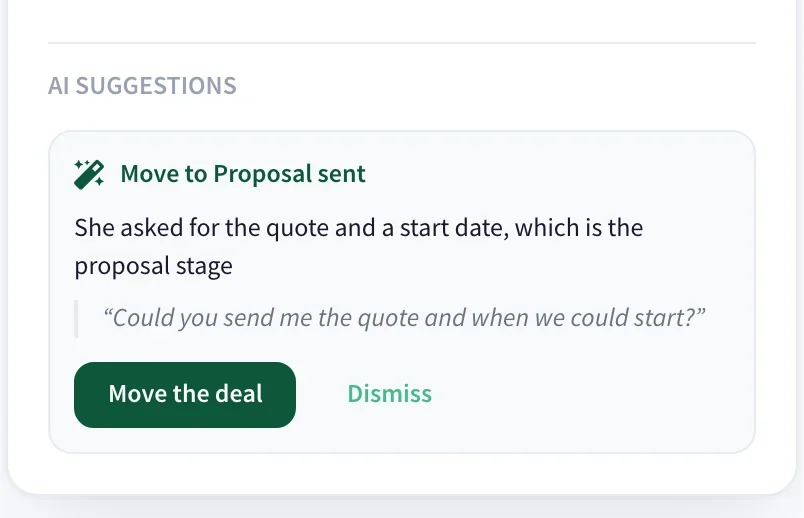
The assistant suggests, it never closes. When a conversation behind an open deal goes quiet after a burst of messages, WaliChat can leave a note on the card: a proposed move, or a flag that the deal looks at risk, with the reason and the customer's own sentence underneath. Then it waits. It will not drop a deal into a won or lost column under any circumstances: closing is a call a person has to make, and no model should be making it off the back of a single line. It reads the messages between you and the customer, never your team's internal notes.
This is not a second CRM. There was a version of this that lived beside the inbox and synced with it. We did not build that one, because every system that syncs is eventually two systems that disagree.
Deleting a funnel does not delete your history. Won and lost deals stay. A board is a tool you should be able to throw away and rebuild without losing the record of what you sold.
What each plan includes
| Plan | Funnels | Assistant suggestions |
|---|---|---|
| Professional | 1 | Not included |
| Business | 3 | Included |
| Enterprise | 10 | Included |
The suggestions are part of the AI assistant, so they follow it: Business and Enterprise.
Where to start
Open the board, rename those five columns after the things that actually happen in your sale, and drop your three or four live deals onto it. That is the entire setup, because the conversations are already sitting there.
If you want the longer version of the stage question, we wrote a separate guide on how many pipeline stages you need and what to call them. And the sales funnels page takes the board, the record and the panel one screen at a time.
Start your free trial and give those conversations somewhere to live.