Recover Abandoned Carts With an AI Agent on WhatsApp (MCP)
Turn a one-way cart reminder into a closed-loop AI sales agent on WhatsApp. Use the Wali MCP with Shopify or WooCommerce to send, converse, and close.
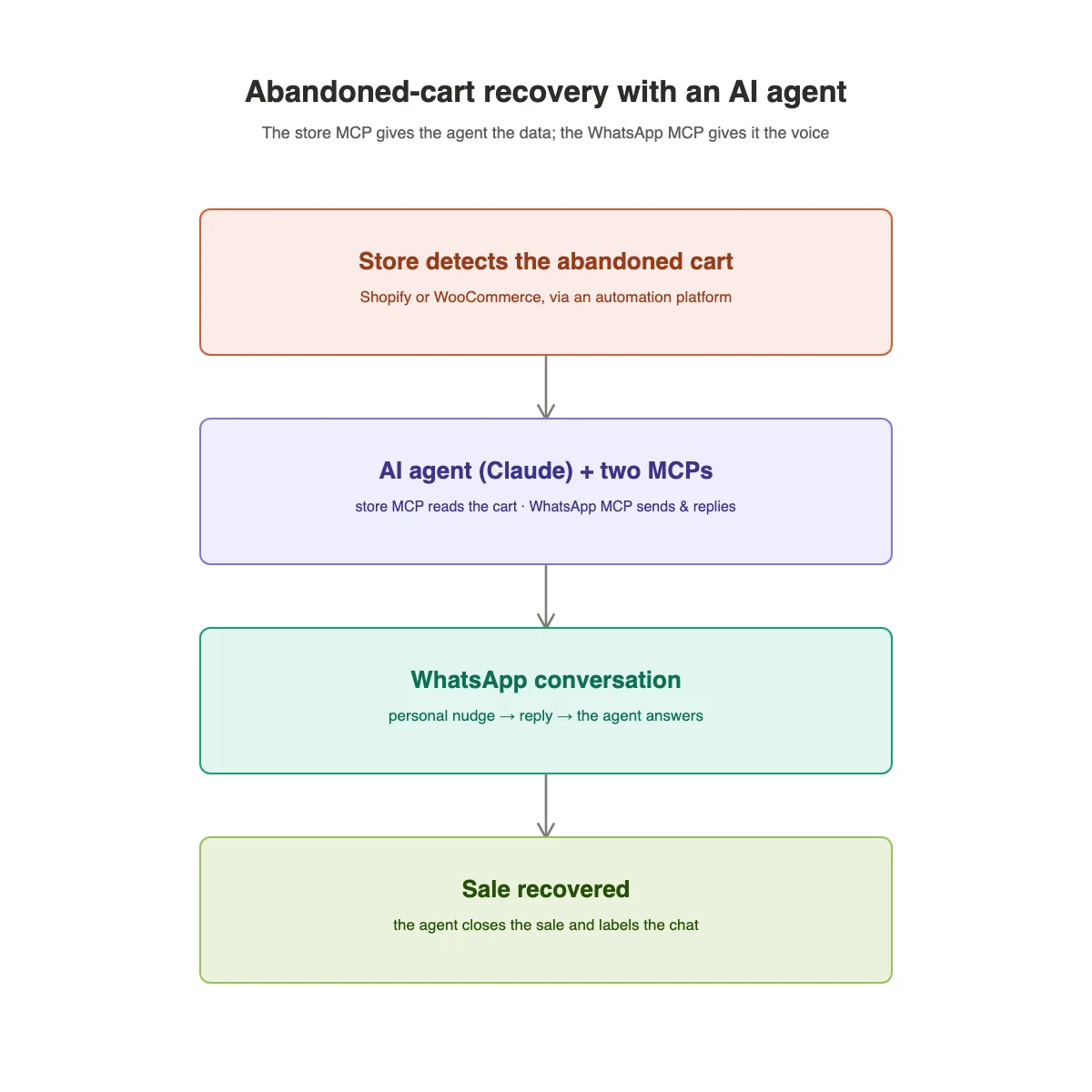
Most abandoned-cart recovery is a one-way reminder: a static template fires, a variable gets swapped in, and that is the end of the conversation. It either works or it does not. This guide shows you a better approach, built on a closed-loop AI sales agent that sends the nudge and then replies when the customer answers. It reads the cart from your store, writes a personalized message, sends it over the official WhatsApp Business API, and then handles the back-and-forth that actually closes the sale. We will cover both Shopify and WooCommerce, and we will be honest about what the Wali MCP does and does not do.
What you will learn:
- How the Wali MCP acts as the WhatsApp action layer for an AI agent
- How to wire your store data to the agent (Shopify and WooCommerce)
- The send-and-converse loop that recovers more carts without breaking compliance
What the Wali MCP actually is (and what it can't do)
The Wali MCP is a Model Context Protocol server. In plain terms, it is how AI agents such as Claude, ChatGPT, and Cursor call Wali's WhatsApp tools. It is the action layer: the agent can send messages and templates, read conversations, and reply on the official WhatsApp Business API (WABA). Setup amounts to an HTTP-streaming URL plus an API key, with nothing to install.
Here is the honest part. The Wali MCP does not detect abandoned carts, does not receive your store's webhooks, and does not run schedules or triggers by itself. You still need two things it cannot provide: (a) your store to detect the cart, and (b) an agent runtime that fires when that happens. What the MCP adds is the upgrade from a dumb "send" into an agentic one that can hold the two-way conversation a static template can never have.
The architecture: two MCPs and one agent
Think of it as three parts working together:
- The store MCP / Admin API is the data that holds the abandoned cart: who the customer is, what they left behind, and the recovery URL.
- The Wali MCP is the voice that carries the agent's message to the customer on WhatsApp and brings the reply back.
- The AI agent is the brain that gets triggered, reads the data, decides what to say, and drives the conversation to a close.
The store provides the half the agent needs to be relevant; Wali provides the half it needs to be heard. Neither side replaces the other.
Step 1 - Connect the Wali MCP
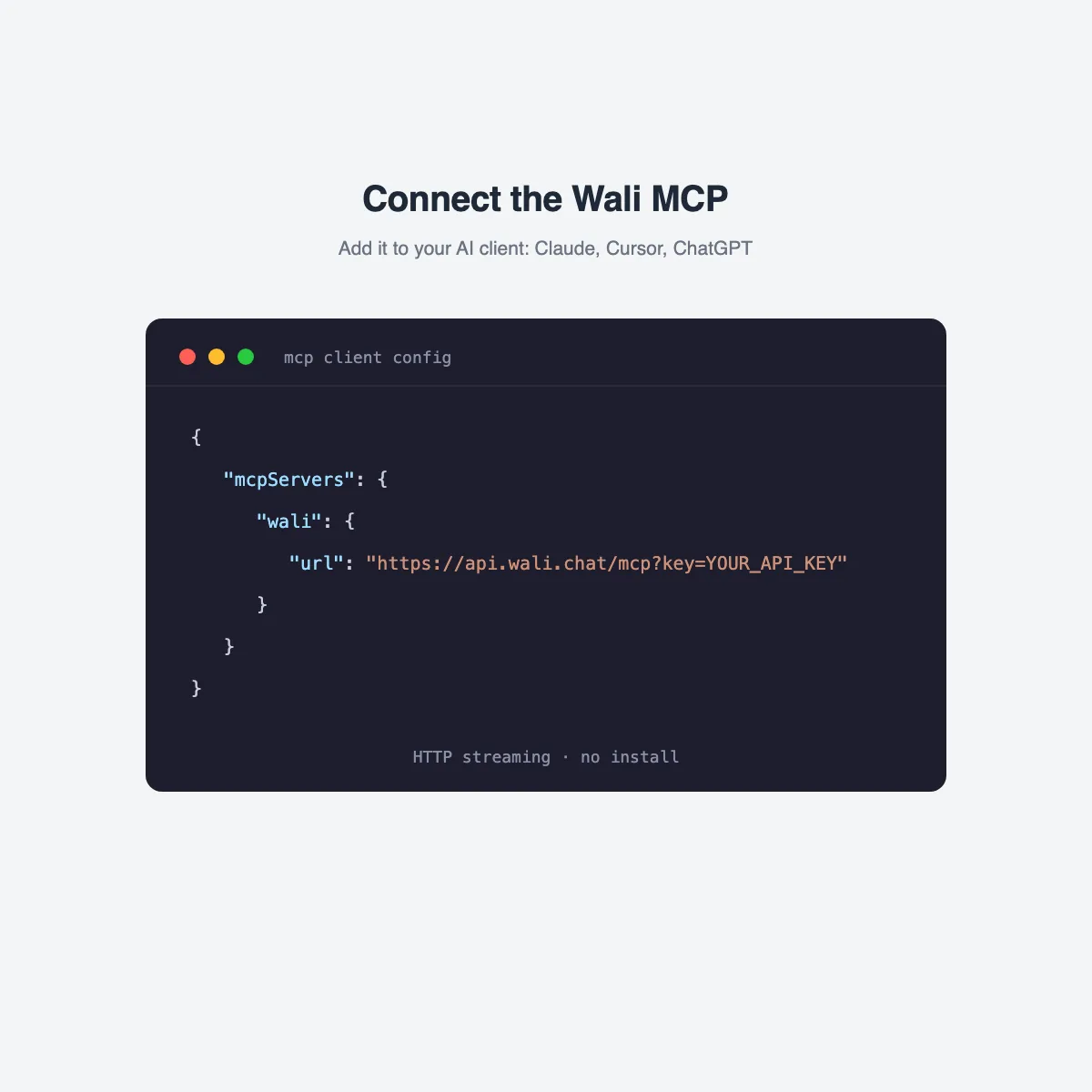
Add Wali as an MCP server in your AI client. The configuration is a URL with your API key appended as a query parameter:
{
  "mcpServers": {
    "wali": {
      "url": "https://api.wali.chat/mcp?key=YOUR_API_KEY"
    }
  }
}
This works with Claude (Desktop, the claude.ai connectors, Claude Code, and the API), ChatGPT, and Cursor. It is a remote HTTP-streaming endpoint, so there is no package and no local process to run.
Step 2 - Give the agent the store data
The agent needs to read the abandoned cart. How you expose it depends on your platform.
Shopify keeps abandoned checkouts in the Shopify Admin API and the Shopify Admin (Dev) MCP, reachable through the abandonedCheckouts GraphQL query. Use the Admin MCP here, because the public Storefront MCP is customer-facing and does not expose abandoned checkouts. Enough setups go wrong on that one point to make it worth building against Admin from the start.
WooCommerce exposes products and orders through its native WooCommerce 10.9 MCP but not abandoned carts, which leaves you capturing carts with an abandoned-cart plugin (or its REST endpoint) and feeding that data to the agent. The plugin detects the cart; the agent reads it.
Step 3 - The agent loop (send + converse to close)
This is the pattern that recovers more revenue than a static reminder:
- Your store triggers the loop when it detects the abandoned cart through Shopify's native checkouts event or the WooCommerce plugin.
- The agent reads the cart (customer, items, recovery URL) via the store MCP or Admin API, and can confirm the number first with
verifyWhatsAppNumberExists. - The agent writes a message that is genuinely personalized rather than a variable swap, then sends it with
send_whatsapp_message. Outside the 24-hour window that message is still a pre-approved Marketing template, so compliance is unchanged. - The customer replies, which puts you inside the 24-hour window, so the agent reads the thread with
get_whatsapp_chat_messages, checks stock or price via the store MCP, answers objections, offers a discount if it makes sense, and sends the recovery link to close. - The agent labels the outcome with
manage_whatsapp_labels(recovered / opted-out) and hands off to a human if it cannot resolve.
The tools the agent uses
| Tool | What the agent does with it |
|---|---|
send_whatsapp_message |
Send the nudge as text, media, template, or scheduled |
list_whatsapp_templates |
Pick the right pre-approved Marketing template |
get_whatsapp_chat_messages |
Read the conversation thread to reply in context |
manage_whatsapp_message_interactions |
Reply to and react to the customer's messages |
manage_whatsapp_labels |
Tag the outcome (recovered, opted-out) |
verifyWhatsAppNumberExists |
Confirm the number is on WhatsApp before sending |
get_whatsapp_chat_by_id |
Check lastInboundAt to apply the 24-hour rule |
manage_whatsapp_campaigns |
Run bulk recovery across many carts |
Example: the agent in action
A short system prompt keeps the agent on the rails:
You are a cart-recovery sales agent for our store on WhatsApp.

- Detecting carts is NOT your job. You receive a cart with the customer,
  the items, and a recovery URL. Act on that.
- Personalize every message. Reference the actual items. Never sound like
  a mail merge.
- Respect compliance: outside 24h since the customer's last message you may
  ONLY send a pre-approved Marketing template, and only with opt-in.
  Inside 24h you may speak freely.
- Always include the recovery link when nudging or closing.
- If the customer asks about price or stock, check the store before answering.
- You may offer up to a 10% discount on carts over $80.
- Label the outcome (recovered / opted-out) and hand off to a human if you
  cannot resolve the request.
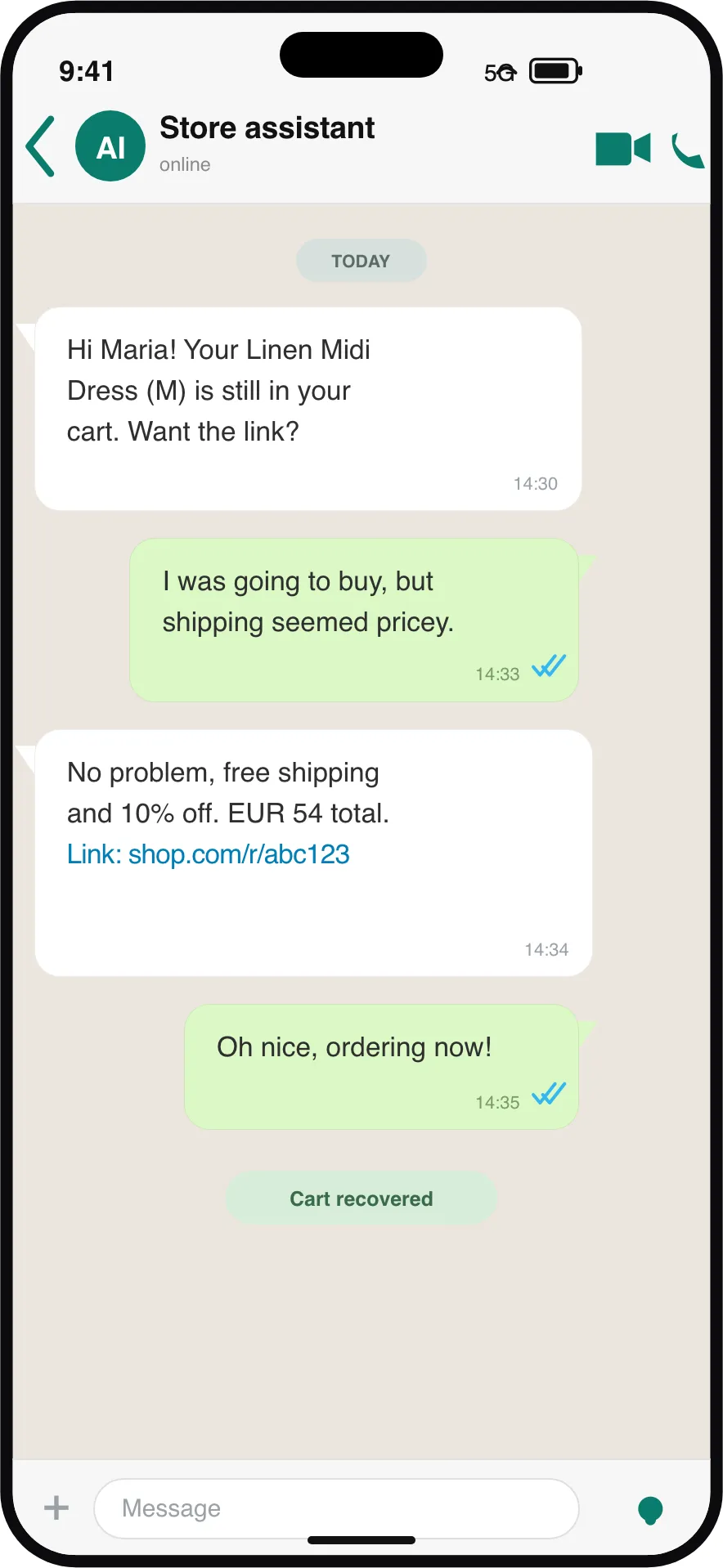
A sample conversation:
Agent: Hi Maria! You left the Linen Midi Dress (size M) in your cart. Still want it? Here's your link to finish: store.example/cart/abc123
Maria: I wasn't sure about the size, and shipping felt pricey.
Agent: Totally fair. The M runs true to size for that dress, and it's in stock right now. I can add a 10% code called LINEN10, and it ships free over $75, which your cart already qualifies for. Want me to apply it? Here's your cart: store.example/cart/abc123
Maria: Done, just ordered. Thanks!
Agent: Love it. Your order's confirmed. Enjoy the dress! 🎉
The agent then labels the chat recovered and moves on.
Prefer no-code? Use an AI Agent node in Wali Flows
The Wali MCP is included on every plan. If you would rather not run an MCP client, you can get the same outcome inside the built-in Wali Flows or via n8n with an AI Agent node that calls the same WhatsApp tools. The flow handles the trigger and schedule; the AI Agent node handles the personalization and the reply logic. Flows orchestrates the same send-and-converse pattern in place of a standalone MCP client.
Compliance and cost
The rules do not change because an AI is driving:
- To start a conversation outside the 24-hour window you need a pre-approved Marketing template and a valid opt-in.
- Inside 24 hours of the customer's last message, you can send free-form messages.
- Break that and you get error
131047, because nothing in the MCP can bypass Meta's rules. - Always honor a free-text STOP and label the contact opted-out.
On cost: every AI-driven message carries an LLM call, so a hybrid is the smart play. Let the agent handle high-value carts and live replies, where personalization and objection-handling pay for themselves. Use a plain template for the long tail of low-value carts. See WABA pricing for the messaging side and campaigns for bulk template sends.
Frequently asked questions
Does the Wali MCP detect abandoned carts?
No. The MCP is the WhatsApp action layer that sends, reads, and replies. Detection happens on the store side (Shopify's checkouts event or a WooCommerce plugin), and a runtime triggers the agent.
Shopify Storefront or Admin MCP for abandoned checkouts?
Admin. The Storefront MCP is customer-facing and does not expose abandoned checkouts. Use the Shopify Admin MCP with the abandonedCheckouts GraphQL query.
Do I still need a Marketing template?
Yes. Outside the 24-hour window, the first message must be a pre-approved Marketing template with opt-in. The agent personalizes within those rules and does not replace them.
What does it cost to run?
Two layers: WhatsApp messaging charges from Meta, plus an LLM call per AI-driven message. A hybrid keeps cost in check by using AI for high-value carts and replies, and templates for the long tail.
Which plans include the Wali MCP?
Every plan includes it. If you prefer a no-code setup, use an AI Agent node in Wali Flows (or n8n) to run the same send-and-converse loop with the built-in tools.
Resources
- Wali Flows for built-in automation and AI Agent nodes
- WABA pricing for WhatsApp messaging costs
- Campaigns for bulk template sends
- Shopify Admin API for the
abandonedCheckoutsGraphQL query - WooCommerce developer docs for REST and MCP
- WhatsApp templates overview and opt-in rules
What is next
Wire your store data to an AI agent and let it send and close on WhatsApp. Get started with Wali.